Connect Google BigQuery to Dremio Cloud: Cross-Cloud Analytics Without Data Movement
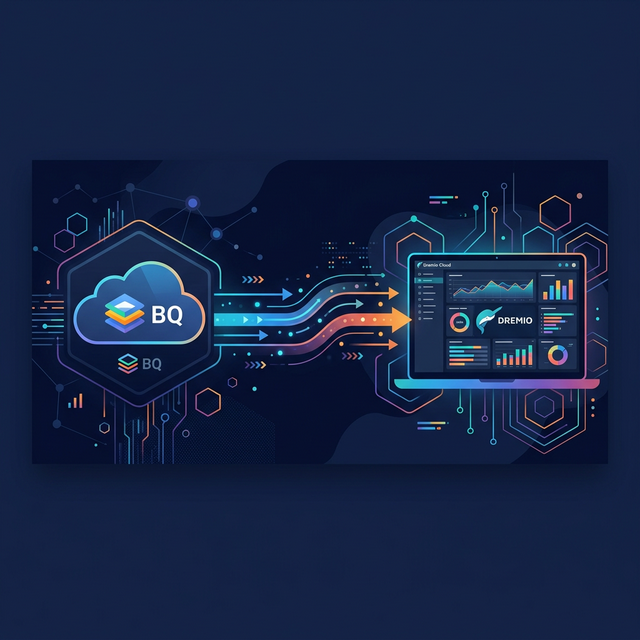
Google BigQuery is Google Cloud's serverless data warehouse. If your organization uses Google Cloud Platform, BigQuery is where your analytics data, marketing attribution, Google Analytics exports, and machine learning model outputs live. BigQuery is powerful within Google's ecosystem, but it creates challenges when your data spans multiple clouds or when costs grow with usage.
BigQuery's on-demand pricing charges per terabyte scanned. For organizations with large datasets queried frequently — especially by dashboards that refresh automatically — this can result in monthly bills that grow unpredictably. And connecting BigQuery data to non-Google tools and other cloud providers requires data exports, cross-cloud networking, or third-party ETL platforms.
Dremio Cloud connects to BigQuery and queries it alongside data from AWS, Azure, on-premises databases, and any other connected source. You get multi-cloud federation without data movement, AI-powered analytics, and cost optimization through Reflections.
Data gravity is a real challenge for BigQuery users. Once data lands in BigQuery, Google's ecosystem encourages keeping everything there — Looker for BI, Vertex AI for ML, Cloud Dataflow for processing. But most enterprises aren't all-Google. They have data in AWS RDS, Azure SQL, S3 data lakes, and on-premises systems. Moving all that data into BigQuery is expensive (ingestion costs, ongoing storage) and creates vendor lock-in. Dremio's federation approach queries each source in place, avoiding the data gravity trap while still giving you unified analytics across your entire data estate.
Why BigQuery Users Need Dremio
Control BigQuery Costs with Reflections
BigQuery's on-demand pricing charges per terabyte scanned, regardless of whether you've run the same query before. A dashboard that refreshes every 15 minutes, querying the same 500GB table, generates substantial costs. Dremio's Reflections solve this: after the first query execution, Dremio caches the results as a pre-computed materialization. Subsequent queries that match the Reflection pattern are served from cache — no BigQuery scan, no per-TB charge.
For organizations with heavy dashboard and reporting workloads, this can reduce BigQuery costs by 50-80% on those specific query patterns.
Multi-Cloud Analytics
Your Google Analytics data is in BigQuery, your application database is in PostgreSQL (running on AWS RDS), your product catalog is in SQL Server (on Azure), and your raw event logs are in Amazon S3. Without a federation layer, joining these datasets requires building ETL pipelines for each source-destination pair. Dremio eliminates this: connect all four as sources and write a single SQL query that joins across them.
Unified Governance Across Clouds
BigQuery has IAM policies and column-level security within Google Cloud. But those policies don't extend to your PostgreSQL database, S3 data lake, or Snowflake warehouse. Dremio's Fine-Grained Access Control (FGAC) applies consistent row-level security and column masking across BigQuery and every other connected source. One governance policy, everywhere.
The Semantic Layer for AI
Raw BigQuery tables have technical column names and fragmented schemas. Dremio lets you create views that consolidate and rename these into business-friendly structures, then attach wiki descriptions and labels. This semantic layer makes your BigQuery data queryable by AI tools — both Dremio's built-in AI Agent and external AI clients through the MCP Server.
Prerequisites
- Google Cloud project ID — the GCP project containing your BigQuery datasets
- Service Account JSON key — a GCP service account with the BigQuery Data Viewer role (or custom role with
bigquery.tables.getData,bigquery.jobs.createpermissions) - Network access — Dremio Cloud connects to Google Cloud APIs over HTTPS
- Dremio Cloud account — sign up free for 30 days with $400 in compute credits
Step-by-Step: Connect BigQuery to Dremio Cloud
1. Add the BigQuery Source
In the Dremio console, click "+" in the left sidebar and select Google BigQuery.
2. Configure Connection Details
- Name: A descriptive identifier (e.g.,
bigquery-marketingorgcp-analytics). This appears in SQL queries as the source prefix. - Project ID: Your Google Cloud project ID (e.g.,
my-company-analytics-123456). - Service Account Key: Upload or paste the JSON key file for your service account.
3. Configure Advanced Settings
| Setting | Purpose |
|---|---|
| Caching Enabled | Cache BigQuery metadata locally for faster schema browsing |
| Billing Project | Specify which GCP project is billed for queries (important for cross-project access) |
| Connection Properties | Custom parameters for the BigQuery connection |
4. Set Reflection and Metadata Refresh
- Reflection Refresh: How often Dremio re-queries BigQuery to update cached Reflections. Balance between data freshness and BigQuery scan costs.
- Metadata Refresh: How often Dremio checks for new datasets or schema changes.
5. Set Privileges and Save
Optionally restrict access, then click Save.
Query BigQuery Data from Dremio
-- Query BigQuery marketing data
SELECT
  campaign_name,
  SUM(clicks) AS total_clicks,
  SUM(conversions) AS total_conversions,
  ROUND(SUM(conversions) * 100.0 / NULLIF(SUM(clicks), 0), 2) AS conversion_rate
FROM "bigquery-marketing".analytics.campaign_metrics
WHERE date >= '2024-01-01' AND date < '2024-07-01'
GROUP BY campaign_name
ORDER BY total_conversions DESC;
Federate BigQuery with Other Clouds
Join BigQuery marketing data with AWS-hosted application data and Azure revenue:
SELECT
  bq.campaign_name,
  bq.total_clicks,
  bq.total_conversions,
  SUM(pg.order_total) AS attributed_revenue,
  ROUND(SUM(pg.order_total) / NULLIF(bq.total_conversions, 0), 2) AS revenue_per_conversion
FROM (
  SELECT campaign_name, user_id, SUM(clicks) AS total_clicks, SUM(conversions) AS total_conversions
  FROM "bigquery-marketing".analytics.campaign_clicks
  WHERE date >= '2024-01-01'
  GROUP BY campaign_name, user_id
) bq
JOIN "postgres-orders".public.orders pg
  ON bq.user_id = pg.customer_id
  AND pg.order_date >= '2024-01-01'
GROUP BY bq.campaign_name, bq.total_clicks, bq.total_conversions
ORDER BY attributed_revenue DESC;
Three clouds, one query, zero ETL.
Build a Semantic Layer
CREATE VIEW analytics.gold.campaign_performance AS
SELECT
  bq.campaign_name,
  SUM(bq.clicks) AS total_clicks,
  SUM(bq.conversions) AS total_conversions,
  ROUND(SUM(bq.conversions) * 100.0 / NULLIF(SUM(bq.clicks), 0), 2) AS conversion_rate_pct,
  SUM(bq.cost) AS total_ad_spend,
  CASE
    WHEN SUM(bq.conversions) * 100.0 / NULLIF(SUM(bq.clicks), 0) > 5 THEN 'High Performer'
    WHEN SUM(bq.conversions) * 100.0 / NULLIF(SUM(bq.clicks), 0) > 2 THEN 'Average'
    ELSE 'Underperforming'
  END AS campaign_grade
FROM "bigquery-marketing".analytics.campaign_metrics bq
GROUP BY bq.campaign_name;
Navigate to the Catalog, click Edit (pencil icon), and Generate Wiki and Generate Tags to create business context for AI features.
AI-Powered Analytics on BigQuery Data
Dremio AI Agent
The built-in AI Agent lets users ask questions in plain English: "Which campaigns had the highest conversion rate this quarter?" The Agent reads your wiki descriptions to understand what "conversion rate" and "high performer" mean, then generates accurate SQL.
Dremio MCP Server
The Dremio MCP Server connects Claude, ChatGPT, and other AI clients to your Dremio data. Setup:
- Create a Native OAuth application in Dremio Cloud
- Configure redirect URLs (e.g.,
https://claude.ai/api/mcp/auth_callback) - Connect using
mcp.dremio.cloud/mcp/{project_id}
A marketing executive can ask Claude "Compare our Q1 campaign performance against Q2 using the BigQuery data" and get governed, accurate results — no SQL required.
AI SQL Functions
Use AI directly in queries against BigQuery data:
-- Classify campaign performance with AI
SELECT
  campaign_name,
  total_clicks,
  conversion_rate_pct,
  AI_CLASSIFY(
    'Based on these marketing metrics, recommend a budget action',
    'Campaign: ' || campaign_name || ', Clicks: ' || CAST(total_clicks AS VARCHAR) || ', Conversion Rate: ' || CAST(conversion_rate_pct AS VARCHAR) || '%',
    ARRAY['Increase Budget', 'Maintain Budget', 'Decrease Budget', 'Pause Campaign']
  ) AS budget_recommendation
FROM analytics.gold.campaign_performance;

-- Generate executive summaries
SELECT
  campaign_name,
  AI_GENERATE(
    'Write a brief performance summary for this marketing campaign',
    'Campaign: ' || campaign_name || ', Clicks: ' || CAST(total_clicks AS VARCHAR) || ', Conversions: ' || CAST(total_conversions AS VARCHAR) || ', Spend: $' || CAST(total_ad_spend AS VARCHAR)
  ) AS performance_summary
FROM analytics.gold.campaign_performance
WHERE campaign_grade = 'High Performer';
AI_CLASSIFY categorizes data with AI. AI_GENERATE produces narrative text. Both run inside your SQL query.
Accelerate with Reflections
For dashboard queries that run repeatedly against BigQuery:
- Build a view over your BigQuery data
- Navigate to the view in the Catalog and click the Reflections tab
- Choose Raw Reflection (full cache) or Aggregation Reflection (pre-computed metrics)
- Select columns and set the refresh interval
- Click Save
Subsequent matching queries hit the Reflection instead of scanning BigQuery. This is particularly valuable for BigQuery's on-demand pricing, where every scan costs money. A dashboard with 10 widgets refreshing every 15 minutes would generate 960 BigQuery scans per day; with Reflections refreshing hourly, Dremio serves 936 of those from cache.
Governance Across BigQuery and Other Sources
Dremio's Fine-Grained Access Control (FGAC) provides governance that works across BigQuery and every other source:
- Column masking: Mask ad spend or conversion data from specific roles. A content creator sees campaign impressions but not revenue.
- Row-level filtering: Regional marketers see only campaigns in their territory.
- Unified policies: Same rules apply to BigQuery, PostgreSQL, S3, and all connected sources.
These policies apply across SQL Runner, BI tools, AI Agent, MCP Server, and Arrow Flight clients.
Connect BI Tools via Arrow Flight
Arrow Flight provides 10-100x faster data transfer than JDBC/ODBC:
- Looker: Ideal for Google Cloud environments — connect via JDBC
- Tableau: Dremio connector for direct Arrow Flight access
- Power BI: Dremio ODBC driver or native connector
- Python/Pandas:
pyarrow.flightfor programmatic data access - dbt:
dbt-dremioadapter for transformations
All queries benefit from Reflections, governance, and the semantic layer.
VS Code Copilot Integration
Dremio's VS Code extension with Copilot integration lets developers query BigQuery data from their IDE. Ask Copilot "Show me campaign conversion rates from BigQuery" and get SQL generated from your semantic layer.
When to Keep Data in BigQuery vs. Migrate
Keep in BigQuery: Data consumed by Google-native tools (Looker, Google Data Studio, Vertex AI), data pipelines managed by Cloud Dataflow or Dataproc, datasets with BigQuery ML models, data shared via BigQuery analytics hub.
Migrate to Iceberg: Historical archive data, datasets queried by non-Google tools, data that benefits from Iceberg's time travel and automated compaction, workloads where BigQuery per-TB costs exceed value. Migrated Iceberg tables get Dremio's automatic maintenance and Autonomous Reflections.
For data staying in BigQuery, create manual Reflections to eliminate per-TB scan costs for repeated queries.
BigQuery Cost Optimization with Dremio
BigQuery Pricing Models
| Model | How It's Priced | Dremio's Impact |
|---|---|---|
| On-Demand | $6.25 per TB scanned | Reflections eliminate repeat scans — 50-80% cost reduction |
| Editions (Standard/Enterprise/Enterprise Plus) | Slot reservations (autoscaling) | Reflections reduce slot utilization, enabling lower commitments |
| Flat Rate | Fixed slot reservations | Reflections free up slots for other workloads |
Google Analytics 4 (GA4) Integration
BigQuery is the default export destination for Google Analytics 4 data. GA4 exports create daily event tables (events_YYYYMMDD) with nested schemas. Dremio handles this pattern:
-- Query GA4 events from BigQuery through Dremio
SELECT
  event_name,
  COUNT(*) AS event_count,
  COUNT(DISTINCT user_pseudo_id) AS unique_users,
  DATE_TRUNC('day', CAST(event_timestamp AS TIMESTAMP)) AS event_day
FROM "bigquery-analytics".analytics_12345678.events_*
WHERE event_name IN ('page_view', 'purchase', 'add_to_cart')
GROUP BY 1, 4
ORDER BY event_day DESC, event_count DESC;
By creating Reflections on GA4 views, you can serve real-time marketing dashboards without accumulating BigQuery scan costs.
Multi-Cloud Analytics Strategy
For organizations with data across Google Cloud, AWS, and Azure:
- BigQuery holds your Google-native data (GA4, Google Ads, Cloud Storage exports)
- S3 holds your AWS data lake (application logs, IoT telemetry)
- Azure Storage holds your Microsoft ecosystem data (Power Platform exports, Azure services)
- PostgreSQL/MySQL hold operational application data
Dremio federates across all four clouds, applies unified governance, and serves all BI tools from a single connection. This eliminates the need for cross-cloud ETL pipelines.
Get Started
BigQuery users can break out of Google Cloud's walled garden, reduce per-TB scan costs with Reflections, and enable AI analytics across their entire data estate. Whether you're running a single BigQuery project or managing data across dozens of GCP projects alongside AWS and Azure resources, Dremio provides the federation layer that makes multi-cloud analytics practical.
The combination of Reflections (eliminating repetitive per-TB charges), federation (joining BigQuery with non-Google sources without ETL), and AI capabilities (Agent, MCP Server, SQL Functions) transforms BigQuery from an isolated Google Cloud analytics tool into a connected node in your broader data ecosystem. Your marketing team asks the AI Agent questions about campaign performance and gets accurate answers drawn from BigQuery data enriched with context from your semantic layer.
Try Dremio Cloud free for 30 days and connect your BigQuery projects.