Connect IBM Db2 to Dremio Cloud: Modernize Mainframe Analytics with Federation and AI
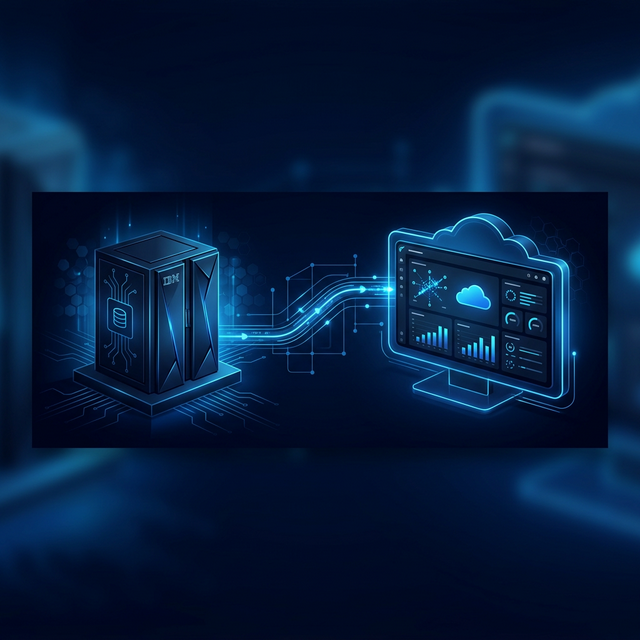
IBM Db2 is the relational database that powers critical applications across banking, insurance, government, healthcare, and manufacturing. For organizations running Db2 — particularly on IBM Z (mainframes) or IBM i — the database holds decades of transactional data: account balances, policy records, claim histories, manufacturing workflows, and government records. This data is enormously valuable for analytics but notoriously difficult to access outside the Db2/IBM ecosystem.
Traditional approaches to Db2 analytics involve CDC tools (IBM InfoSphere DataStage, Attunity), batch exports, or data replication to a separate analytics warehouse. These approaches are expensive, complex, and create stale copies of data that diverge from the source of truth.
Dremio Cloud connects directly to Db2 (Linux, UNIX, and Windows editions) and queries it alongside modern cloud sources in real time. No CDC infrastructure. No batch exports. Your Db2 data stays in place and joins with S3, PostgreSQL, Snowflake, and any other connected source in a single SQL query.
Note: Dremio's Db2 connector supports Db2 for LUW (Linux, UNIX, and Windows). Db2 for z/OS and Db2 for i are not directly supported. If your Db2 instance runs on z/OS or IBM i, you may need to set up a Db2 Connect gateway or replicate to a Db2 LUW instance.
Why Db2 Users Need Dremio
Access Db2 Data Without IBM Middleware
Accessing Db2 analytically typically requires IBM DataStage, IBM Cognos, or custom JDBC applications. These tools are expensive, require specialized skills, and create vendor lock-in. Dremio provides a vendor-neutral SQL layer that connects Db2 to any BI tool (Tableau, Power BI, Looker) via Arrow Flight or ODBC — no IBM middleware needed.
Federate Mainframe Data with Cloud Sources
Your core banking transactions are in Db2, but your digital banking data is in PostgreSQL on AWS, your customer support data is in MongoDB, and your regulatory data is in S3. Without a federation layer, building a 360-degree customer view requires extracting data from each source into a common warehouse. Dremio queries each in place and joins them at query time.
Incremental Modernization
Migrating off Db2 is a multi-year, high-risk project that many organizations cannot undertake. Dremio lets you modernize incrementally: start by querying Db2 through Dremio alongside cloud sources, then gradually migrate specific datasets to Iceberg tables. The migration happens over time, with Db2 continuing to serve critical transactional workloads throughout.
Cost Reduction
IBM mainframe MIPS pricing means every Db2 query consumes expensive compute capacity. Dremio's Reflections cache analytical results so repeated queries don't consume Db2 MIPS. This can meaningfully reduce mainframe compute costs for organizations with heavy analytical workloads against Db2.
AI on Legacy Data
Db2 holds decades of institutional data — customer histories, transaction patterns, risk assessments. Dremio's AI capabilities make this data accessible to non-technical users and external AI tools, unlocking insights trapped in mainframe systems.
Prerequisites
- Db2 LUW hostname or IP address — the Db2 server
- Port — default
50000for Db2 LUW - Database name — the Db2 database you want to connect
- Username and password — Db2 user with SELECT privileges on the schemas/tables to query
- Network access — port 50000 reachable from Dremio Cloud
- Dremio Cloud account — sign up free for 30 days with $400 in compute credits
Step-by-Step: Connect Db2 to Dremio Cloud
1. Add the Source
Click "+" and select IBM Db2 from the database source types.
2. Configure Connection
- Name: Descriptive identifier (e.g.,
db2-bankingormainframe-core). - Host: Db2 server hostname or IP address.
- Port: Default
50000. - Database: The Db2 database name.
3. Set Authentication
Master Credentials (username/password) or Secret Resource URL (AWS Secrets Manager).
4. Configure Advanced Options
| Setting | Purpose | Default |
|---|---|---|
| Record fetch size | Rows per batch from Db2 | 200 |
| Maximum Idle Connections | Connection pool management | 8 |
| Connection Idle Time (s) | Seconds before idle connections close | 60 |
| Encrypt Connection | Enable SSL/TLS | Off |
| Connection Properties | Custom JDBC parameters | None |
5. Configure Reflection Refresh and Metadata, Save
Query Db2 Data
-- Query core banking accounts
SELECT
  account_id,
  customer_id,
  account_type,
  current_balance,
  last_transaction_date
FROM "db2-banking".BANK.ACCOUNTS
WHERE account_type = 'SAVINGS' AND current_balance > 10000
ORDER BY current_balance DESC;

-- Transaction analysis
SELECT
  account_type,
  DATE_TRUNC('month', transaction_date) AS month,
  COUNT(*) AS transaction_count,
  SUM(transaction_amount) AS total_amount,
  AVG(transaction_amount) AS avg_amount
FROM "db2-banking".BANK.TRANSACTIONS
WHERE transaction_date >= '2024-01-01'
GROUP BY account_type, DATE_TRUNC('month', transaction_date)
ORDER BY 1, 2;
Federate Db2 with Cloud Sources
-- Join Db2 core banking with PostgreSQL digital banking and S3 support data
SELECT
  a.account_id,
  a.current_balance,
  pg.last_login_date,
  pg.mobile_transactions_30d,
  s3.support_tickets_open,
  CASE
    WHEN a.current_balance > 100000 AND pg.mobile_transactions_30d > 10 THEN 'High Value - Digitally Active'
    WHEN a.current_balance > 100000 THEN 'High Value - Branch Preferred'
    WHEN pg.mobile_transactions_30d > 20 THEN 'Digital Native'
    ELSE 'Standard'
  END AS customer_segment
FROM "db2-banking".BANK.ACCOUNTS a
LEFT JOIN "postgres-digital".public.customer_activity pg ON a.customer_id = pg.customer_id
LEFT JOIN "s3-support".tickets.customer_tickets s3 ON a.customer_id = s3.customer_id
ORDER BY a.current_balance DESC;
Mainframe banking data joins with cloud application data in a single query — no CDC, no data extraction.
Build a Semantic Layer
CREATE VIEW analytics.gold.customer_banking360 AS
SELECT
  a.customer_id,
  a.account_type,
  a.current_balance,
  pg.customer_name,
  pg.email,
  CASE
    WHEN a.current_balance > 250000 THEN 'Private Banking'
    WHEN a.current_balance > 50000 THEN 'Premium'
    WHEN a.current_balance > 10000 THEN 'Standard'
    ELSE 'Basic'
  END AS service_tier,
  DATEDIFF(DAY, a.last_transaction_date, CURRENT_DATE) AS days_since_last_transaction
FROM "db2-banking".BANK.ACCOUNTS a
LEFT JOIN "postgres-digital".public.customers pg ON a.customer_id = pg.customer_id;
In the Catalog, click Edit → Generate Wiki and Generate Tags. Create descriptions like: "customer_banking360: Combines mainframe core banking data with digital channel activity to provide a complete customer view for relationship management."
AI-Powered Analytics on Db2 Data
Dremio AI Agent
The AI Agent transforms access to mainframe data. Instead of needing a Db2 DBA to write queries against complex schemas, a relationship manager asks "Show me all Private Banking customers who haven't transacted in 30 days" and gets accurate results from the semantic layer. The Agent reads your wiki descriptions to understand what "Private Banking" (balance > $250K) and "days_since_last_transaction" mean.
This democratizes access to decades of mainframe data that was previously accessible only through COBOL reports or specialized IBM tools.
Dremio MCP Server
Connect Claude or ChatGPT to your Db2 data:
- Create a Native OAuth app in Dremio Cloud
- Configure redirect URLs for your AI client
- Connect via
mcp.dremio.cloud/mcp/{project_id}
A compliance officer asks Claude "Show me all accounts with balances over $100K and no transactions in 60 days for our dormancy review" and gets a governed, accurate report from Db2 — without knowing Db2 table structures.
AI SQL Functions
-- Classify account risk with AI
SELECT
  customer_id,
  service_tier,
  current_balance,
  days_since_last_transaction,
  AI_CLASSIFY(
    'Based on these banking patterns, classify the account dormancy risk',
    'Tier: ' || service_tier || ', Balance: $' || CAST(current_balance AS VARCHAR) || ', Days Inactive: ' || CAST(days_since_last_transaction AS VARCHAR),
    ARRAY['Active', 'At Risk', 'Potentially Dormant', 'Dormant']
  ) AS dormancy_risk
FROM analytics.gold.customer_banking360
WHERE days_since_last_transaction > 30;

-- Generate relationship manager talking points
SELECT
  customer_name,
  service_tier,
  AI_GENERATE(
    'Write a one-sentence talking point for a relationship manager reaching out to this customer',
    'Customer: ' || customer_name || ', Tier: ' || service_tier || ', Balance: $' || CAST(current_balance AS VARCHAR) || ', Inactive Days: ' || CAST(days_since_last_transaction AS VARCHAR)
  ) AS outreach_talking_point
FROM analytics.gold.customer_banking360
WHERE service_tier = 'Private Banking' AND days_since_last_transaction > 14;
Reflections for Mainframe Cost Reduction
Every query against Db2 on a mainframe consumes MIPS. Create Reflections to cache frequently accessed analytics:
- Navigate to the view in the Catalog
- Click the Reflections tab
- Choose Raw Reflection or Aggregation Reflection
- Select columns and set the Refresh Interval — hourly for active accounts, daily for historical analysis
- Click Save
Dashboard and reporting queries hit Reflections instead of Db2, significantly reducing mainframe compute consumption. A compliance dashboard that refreshes every 15 minutes generates zero Db2 MIPS after the Reflection is built.
Governance on Db2 Data
Banking, insurance, and government organizations have strict data governance requirements. Dremio's Fine-Grained Access Control (FGAC) extends Db2 security to every connected source:
- Column masking: Mask account balances, SSNs, and transaction amounts from specific roles. A marketing analyst sees customer segments but not financial data.
- Row-level filtering: Branch-level access control — a branch manager sees only their branch's accounts.
- Unified policies: Same governance applies across Db2, PostgreSQL, S3, and all other connected sources.
These policies apply across SQL Runner, BI tools (Arrow Flight/ODBC), AI Agent, and MCP Server — meeting regulatory requirements for data access control.
Connect BI Tools via Arrow Flight
Arrow Flight provides 10-100x faster data transfer than JDBC/ODBC:
- Tableau: Dremio connector for direct Arrow Flight access to mainframe data
- Power BI: Dremio ODBC driver or native connector — no IBM middleware
- Python/Pandas:
pyarrow.flightfor programmatic access to Db2 data - Looker: Connect via JDBC
- dbt:
dbt-dremiofor SQL-based transformations on Db2 data
All queries benefit from Reflections, governance, and the semantic layer.
VS Code Copilot Integration
Dremio's VS Code extension with Copilot integration lets developers query Db2 data from their IDE. Ask Copilot "Show me dormant high-value accounts from Db2" and get SQL generated using your semantic layer — without knowing Db2 table schemas or COBOL naming conventions.
When to Keep Data in Db2 vs. Migrate
Keep in Db2: Active transactional data for applications, data with COBOL program dependencies, regulatory data that must maintain system of record status, data subject to mainframe-specific compliance requirements.
Migrate to Iceberg: Historical transaction archives (closed accounts, prior fiscal years), data consumed by non-mainframe tools, datasets where mainframe MIPS cost exceeds analytical value, archived data for long-term retention.
For data staying in Db2, create manual Reflections to reduce MIPS consumption. For migrated Iceberg data, Dremio provides automatic compaction, time travel, Autonomous Reflections, and dramatically lower storage costs.
Db2 Character Encoding and Data Types
Db2 uses EBCDIC encoding on mainframes and ASCII/UTF-8 on LUW platforms. When connecting through Dremio:
- EBCDIC to UTF-8: Db2 for LUW handles character conversion automatically — Dremio receives standard Unicode data
- GRAPHIC/VARGRAPHIC: Double-byte character columns map to VARCHAR in Dremio
- DECIMAL/NUMERIC: Db2's fixed-point types map to Dremio's DECIMAL with matching precision/scale
- DATE/TIME/TIMESTAMP: Standard mapping — Db2 timestamps map to Dremio TIMESTAMP
Regulatory Compliance Patterns
Banking, insurance, and government organizations have strict data retention and access requirements. Dremio addresses these:
| Requirement | Dremio Feature |
|---|---|
| Data residency | Query data in place — no cross-border data movement |
| Access auditing | Query logs track who queried what data |
| Column-level security | FGAC column masking hides sensitive fields |
| Row-level security | FGAC row filtering restricts data by user role |
| Data retention | Time travel on Iceberg tables provides point-in-time access |
Mainframe Modernization Roadmap
Use Dremio as the bridge in a multi-year mainframe modernization:
- Phase 1 (Months 1-3): Connect Db2 to Dremio Cloud. Create Reflections to offload analytical queries.
- Phase 2 (Months 4-6): Build a semantic layer over Db2 data. Enable AI Agent and MCP Server for business users.
- Phase 3 (Months 7-12): Identify high-value datasets for migration to Iceberg. Use
CREATE TABLE AS SELECTto migrate. - Phase 4 (Year 2+): Gradually migrate remaining datasets as mainframe contracts renew. Db2 focus narrows to core OLTP.
Throughout the process, users experience no disruption — they continue using the same semantic layer views. Only the underlying data sources change.
Get Started
Db2 users can modernize analytics without migrating off the mainframe — federate, govern, accelerate, and AI-enable decades of institutional data through Dremio Cloud. Start with Reflections to offload analytical queries from Db2, then progressively build a semantic layer that makes legacy data accessible to modern AI tools and business users.
Try Dremio Cloud free for 30 days and connect your Db2 databases.